

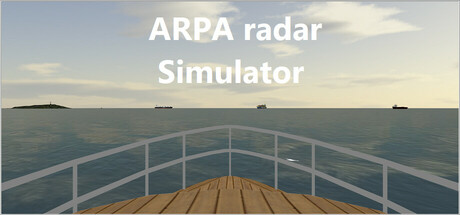
Description
Download ARPA Radar Simulator – Maritime Education, Navigation Training, Vessel Tracking
Overview
The ARPA Radar Simulator is a specialized educational tool designed for maritime students seeking to refine their skills in radar navigation and Automatic Radar Plotting Aid (ARPA) systems. Developed with a focus on practical application, the simulator enables learners to practice real-world scenarios involving vessel tracking, course and speed estimation, and collision avoidance—all within a controlled digital environment. It is intended for users who already possess foundational knowledge of radar operation and plotting techniques, making it unsuitable for absolute beginners. The simulator emphasizes accuracy, realism, and procedural understanding, aligning with industry standards for maritime safety and navigation training. While the publisher has not shared detailed story information, the experience centers on structured learning tasks that mirror actual maritime operations. This simulation falls within the education and simulation category, offering a focused, technical experience rather than entertainment-driven gameplay. Its primary audience includes maritime academies, training institutions, and self-directed students preparing for certification or professional advancement in nautical fields.
Gameplay & Core Mechanics
The gameplay of ARPA Radar Simulator revolves around realistic radar-based navigation exercises, emphasizing procedural accuracy and decision-making under simulated maritime conditions. Users interact with a digital radar interface to monitor surrounding vessels, manually plot their positions, and calculate course and speed using ARPA functions. The simulation environment replicates real-world scenarios such as crossing situations, overtaking maneuvers, and close-quarters navigation, allowing students to apply theoretical knowledge in dynamic contexts. The structure follows a task-oriented flow, with each session designed to reinforce specific competencies in radar interpretation and risk assessment. While specific mechanics such as menu navigation or interface layout were not disclosed, the simulation is built around standard ARPA workflows, including target acquisition, vector generation, and CPA/TCPA analysis. The developer did not provide additional gameplay details beyond the intended use case. Interaction is likely focused on precise input through keyboard and mouse, with no indication of voice commands or motion controls. The simulator does not include narrative elements or mission objectives beyond training tasks. Instead, its core value lies in repetition, accuracy, and skill refinement.
- Realistic radar interface with ARPA functionality
- Practice vessel tracking and course/speed estimation
- Simulated maritime scenarios including crossing and overtaking
- CPA/TCPA calculations for collision avoidance
- Task-based training modules aligned with nautical standards
Graphics, Audio & Performance
The visual design of ARPA Radar Simulator prioritizes clarity and functionality over aesthetic flair, consistent with its educational purpose. The interface features a clean, minimalistic radar display with accurate representation of bearing lines, range rings, and target vectors. Vessels are depicted using standardized symbols that reflect real-world maritime conventions, ensuring consistency with official navigation charts and training materials. Animations are limited to smooth radar sweep movement and target updates, with no elaborate visual effects. The audio design is subdued, focusing on subtle system sounds and alerts to support situational awareness without distraction. No official performance benchmarks were provided, and detailed graphical settings were not disclosed. The simulation likely runs efficiently on standard Windows systems, though exact technical requirements were not listed. Platform-specific enhancements were not disclosed. Users can expect stable performance during training sessions, assuming the system meets basic compatibility standards. The developer did not provide information on frame rates, loading times, or optimization details. Overall, the experience is designed to be distraction-free, with visuals and audio serving the primary goal of effective learning rather than immersion or entertainment.
Platform Compatibility & Requirements
ARPA Radar Simulator is available exclusively for Windows operating systems. The release version was launched on August 21, 2024. The game is priced at $49.99, positioning it as a mid-tier educational tool within the maritime training market. Compatibility details were not fully provided, and the developer did not list minimum system requirements. No information was shared regarding support for high-end graphics cards, RAM specifications, or processor types. Users are advised to ensure their system meets general Windows application standards. No official information was provided about cloud saves, offline play, or cross-platform availability. The simulation does not appear to require a dedicated online connection for core functionality, though updates may be delivered via the web. For users seeking a standalone training solution, the Windows-only release ensures accessibility on personal computers without the need for specialized hardware.
Pros and Cons
Pros
- Realistic simulation of ARPA radar systems used in maritime operations
- Designed for intermediate to advanced maritime students with prior radar knowledge
- Focuses on practical, industry-relevant skills such as vessel tracking and collision avoidance
- Task-based training aligns with formal navigation certification standards
- Accessible on standard Windows PCs without requiring specialized equipment
Cons
- Not suitable for beginners unfamiliar with radar plotting or ARPA theory
- No detailed system requirements were provided, limiting user preparation
- Limited visual and audio design, prioritizing function over immersion
- Windows-only platform support restricts accessibility on other operating systems
- Lack of online multiplayer or community features may reduce engagement for some users
FAQ Section
Is the ARPA Radar Simulator safe to download?
Yes, the simulator is distributed through official channels and is designed for educational use. It does not contain malware or unwanted software.
Is this game beginner-friendly?
No. The simulator is intended for users who already understand radar operation and plotting techniques. It is not suitable for those new to maritime navigation.
Does the game receive regular updates?
While specific update details were not provided, the developer has committed to maintaining the tool for ongoing maritime education purposes.
What platforms support the ARPA Radar Simulator?
The simulator is available only for Windows operating systems. No support for macOS, Linux, or mobile platforms was announced.
Does the game require an internet connection?
Core functionality does not require an internet connection. However, updates and potential future features may require online access.
Final Thoughts
ARPA Radar Simulator delivers a focused, technically sound training experience tailored to the needs of maritime students and professionals. Its strength lies in simulating real-world radar scenarios with precision, enabling learners to practice critical skills such as vessel tracking, course estimation, and collision avoidance. While it lacks entertainment elements and is not designed for beginners, it excels in its niche as a professional development tool. The simulation’s interface, mechanics, and task structure reflect industry standards, making it a valuable supplement to formal maritime education. For those preparing for certification or seeking to enhance their nautical expertise, this tool offers a practical, accessible way to build confidence and competence. With a clear purpose and dedicated design, it stands out as a reliable resource in the field of navigation training. Download ARPA Radar Simulator now.
Guides & Tutorials for ARPA radar Simulator
How to install ARPA radar Simulator
- Click the Preview / Download button above.
- Once redirected, accept the terms and click Install.
- Wait for the ARPA radar Simulator download to finish on your device.
How to use ARPA radar Simulator
This software is primarily used for its core features described above. Open the app after installation to explore its capabilities.
User Reviews for ARPA radar Simulator 0
No reviews found




